Vorla Layer
An overlay that draws on top of the game.
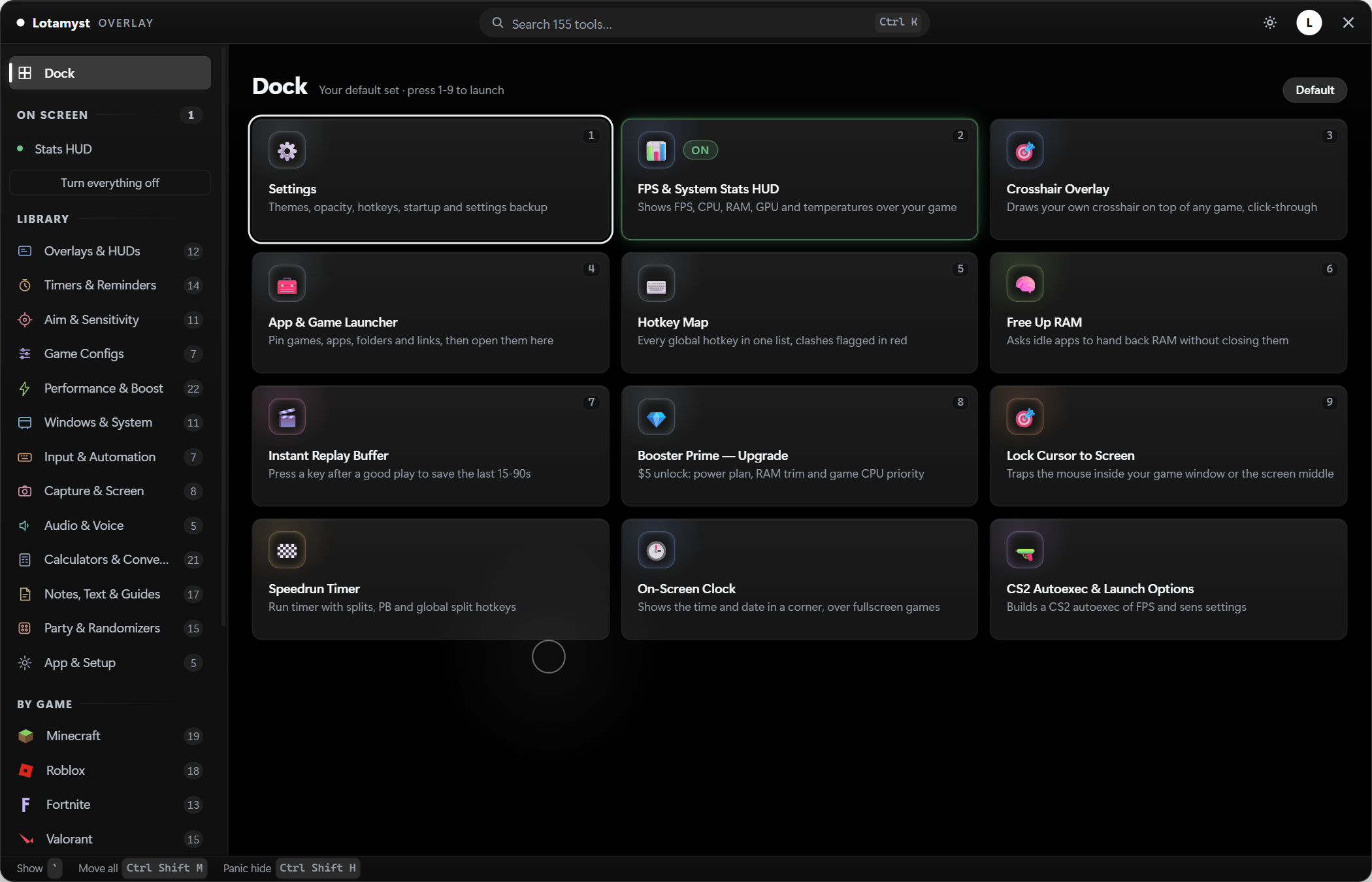
155 native tools on a Windows overlay. No browser, no capture, no second monitor. Press the default hotkey CtrlShiftL and it is there.
Free with a free account. Windows 10 and 11.
- Windows 10 & 11
- Updates itself
- About 2.4% of one core
On screen
What it looks like in a game
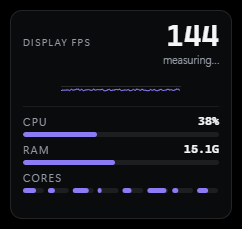
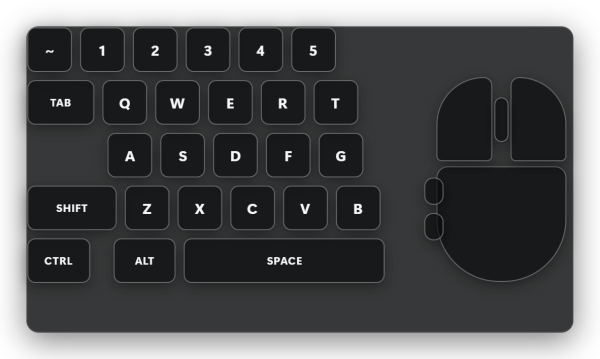
Every overlay is movable and every one of them can be off. This is the default set.

Inside
155 tools, grouped the way you use them
The overlay covers your library, your mods, Roblox, and the small things you would otherwise alt-tab for.
Library
Every launcher in one list
Steam, Epic, GOG, Game Pass, Battle.net, Ubisoft Connect, Minecraft modpacks and pinned Roblox games sit in the same list. Launch from there.
Set a game up once
Give a game its own refresh rate and a list of apps to close while you play. Layer applies it on launch and puts everything back after.
Mods
Mods for around 300 games
Browse, install and switch off mods for about 300 games without leaving the overlay or opening a second tool.
Whole modpacks in one click
Minecraft modpacks install and launch from the same list as everything else. Your existing modpacks stay launchable too.
It leaves a working setup alone
Bring over a setup you already have. Updating a mod, switching one off or swapping a whole set does not undo the rest of it.
Roblox
18 FastFlags that still work
Most of the flag lists passed around no longer do anything. In 2026 the number that still change something is 18. Layer ships those and drops the rest.
Your Roblox games, pinned
Pin the games you actually play and start them from the library instead of hunting through the site every time.
HUD & tools
FPS and 1% lows
A stats HUD on CtrlShiftH with frame rate, 1% lows and system load. Measured at about 2.4% of one core.
Crosshair and keystrokes
A crosshair overlay in 7 styles for the games that do not give you one, and a keystroke display for recording or coaching.
Desk tools that stay on top
Borderless windowed, a screen ruler, a zoom, a speedrun timer, game guides you can read without alt-tabbing, and an auto clicker with macros on CtrlShiftM.
Care
A panic key, and a place for everything
One key hides every overlay at once. Move each overlay where you want it, save loadouts, and pick from 8 colour themes and 5 layouts.
It warns you, then updates itself
Layer tells you when a tool carries a real risk to your account before you use it. Updates install themselves in the background, and a Windows cleanup clears out the junk that piles up.
How it works
Three steps to get it running
Make a free account
Sign in with Discord, or pick a username and a PIN. No email needed.
Download and install
One installer. Windows shows a SmartScreen warning the first time. Choose More info, then Run anyway.
Press the hotkey
Launch a game and press CtrlShiftL, the default hotkey. The overlay draws on top of it. Press it again to get out.
Honest bits
What Layer does not do
Four things worth knowing before you install it.
Free, but you need an account
Layer costs nothing. It does need a free account so it knows what you own. 80 of the 155 tools are free, 75 are Premium.
Windows only
Windows 10 and 11. Drawing on top of a running game uses native Windows APIs, so there is no Mac or Linux build and there is no plan for one.
The installer is not code-signed
A certificate costs more than this project makes. SmartScreen warns you once. After that Windows stops asking.
It updates itself
Layer checks for updates and installs them quietly. Good when a fix ships, worth knowing if you would rather pin a version.
FAQ
Questions people actually ask
What does Vorla Layer cost?
Nothing. It is free with a free account. Of the 155 native tools, 80 are free and 75 are part of Vorla Premium.
Does it run on Mac or Linux?
No. Windows 10 and 11 only. The overlay uses native Windows APIs to draw over a running game.
Why does Windows warn me when I install it?
The installer is not code-signed, so SmartScreen shows a warning the first time. Choose More info, then Run anyway. It does not come back.
What does the overlay cost me in performance?
The stats HUD measures at about 2.4% of one core. Overlays you are not using are not drawn.
Do Roblox FastFlags still work?
Most of them do not. As of 2026, 18 flags still change anything, and those are the ones Layer ships. The rest were dropped instead of left in to look impressive.
Put it on top of tonight's game
Make an account, install it, press the hotkey. Nothing to cancel, because nothing is charged.